Showing posts with label Camera. Show all posts

Wednesday, May 02, 2012

Camera FV-5 v1.14 Full APK

Best Blog Tips
| |
0 comments

Camera FV-5 is a professional camera application for mobile devices, that puts DSLR-like manual controls in your fingertips.

Tailored to enthusiast and professional photographers, with this camera application you can capture the best raw photographs so that you can post-process them later and get stunning results. The only limit is your imagination and creativity!

Major features:
• All photographic parameters are adjustable and always at hand: exposure compensation, ISO, light metering mode, focus mode, white balance and program mode.
• DSLR-like viewfinder display: see exposure time, aperture and stops display with EV and bracketing settings.
• Full fledged exposure bracketing: from 3 to 7 frames, unlimited stops spacing, plus custom EV shifting.
• Built-in intervalometer: make stunning timelapses (even bracketed/HDR timelapses) and time-controlled picture series.
• Program and Speed-priority modes.
• Long exposure support: take beautiful night photos and light trails with long exposure times up to 60 seconds*.
• JPEG as well as RAW (PNG) image formats for lossless photo capturing, perfect for post-processing.
• EXIF and XMP sidecar metadata support.
• Self timer for delayed shooting.
• Autofocus, macro, touch-to-focus** and infinity focus modes, plus a focus lock switch (AF-L).
• In background photo developing and processing allows a smooth, uninterrupted camera operation.

This camera application completely avoids scene modes, instead you get full manual control over all photographic parameters, just like you do with a reflex camera, so you can ultimately control every aspect of the picture, and leave the post-processing to the computer. So after your DSLR, you will never miss a photo opportunity again, being able to capture it with the closer sensation to your DSLR as possible

What's in this version:
New: added support for physical shutter key on devices with one present. Behaviour is the same as the virtual shutter button.
New: added a visual folder picker dialog for custom storage location.
New: added specific support for Huawei U8815.
Fixed: if custom storage folder is deleted, renamed or somehow doesn't exist, the default DCIM/100_CFV5 folder is used, thus preventing losing photos.
Other bugfixes.

Download

Tuesday, May 01, 2012

One Eye Browser v1.3.4 Apk

Best Blog Tips
| |
0 comments
One Eye: Probably the best stealth/spy camera app for Android.
★ This is the paid version of One Eye Beta.
★ It is probably the best spy cam app for Android!
★ It is a browser *and* camera at the same time!
★ Snap pics while you browse!

☆ Similar to: Spy Phone, Mobile Hidden Camera, DeSpy Camera, Super Spy Camera, Spy Camera, Callcam, SpyCam, SilentSnap Camera, SilentCam, SilentCamera NINJA
———————————————————
Device Compatibility
———————————————————
Users have reported the following:
⇒ Tablets: can’t access Bottom Panel buttons; will be resolved very soon!
⇒ HTC Desire S: video quality problem.
⇒ HTC Desire HD: can’t record video in 480p.
⇒ HTC Evo 4G: FC on HD video recording.
⇒ Huawei Mercury: video and cc not working.
⇒ LG: some devices not supported; send email.
⇒ Motorola: some devices not supported; send email.
⇒ SGS2 Skyrocket SGH-I727: video recording problem.
Features
———————————————————
★ Supports: images, video, and audio!
★ Browser with bookmarks support (i.e. browse news, email, facebook while capturing)
★ Blackout Mode: pitch black screen, stays awake, touch to start/stop.
★ Camera Preview mode
★ Front camera support
★ Continuous shooting
★ No shutter sounds (“Shutter Sound Workaround” for devices that do)
★ Hi-res pics
★ HD video up to 1080p resolution
★ Vibration/silent notifications
★ Show/hide media in Gallery
★ Customizable hot keys
———————————————————
Paid Version Additional Features
———————————————————
☆ No ads
☆ Unlimited video recording length
☆ Auto-split video files (by time duration or file size)
☆ Shake Detection (reduce the number of blurred pics)
☆ Full list of browser bookmarks
☆ Shortcuts: create shortcuts to One Eye using predefined or customizable preferences.
☆ Extended set of preference parameters
———————————————————
To Do List
———————————————————
★ Fixes for bug reports on each device are typically highest priority
★ Gesture trigger to show bottom panel
★ Video recording without sound option
★ PIP camera preview
★ Widget (under consideration)
———————————————————
Troubleshooting
———————————————————
To get prompt response to a problem, send me an email with:
1. Problem description (what did you try to do?)
2. Debug log (Enable Debug Mode and reproduce the problem)
———————————————————
Known Limitations
———————————————————
⇒ Capturing stops when app becomes background.
⇒ LED lights may remain on for several seconds when entering Blackout mode. For Samsung devices, turn lights off: Settings > Display > Touch key light duration
⇒ Blurry pics? Try increasing Continuous Blink Delay. Enable Shake Detection feature.
⇒ Shutter sounds? Some regional devices deliberately won’t allow shutting off the shutter sound via the System volume, so it is a limitation of your device, not this app. Shutter Sound Workaround 1 and 2 allow you to workaround this problem. See the app’s Help for details.
———————————————————
Tips & Tricks
———————————————————
⇒ Increase Continuous Blink Delay to help produce better quality images by allowing more time for focus and exposure between captures.
⇒ Keep your hands steady and enable Shake Detection to reduce blurred output!
⇒ Create a shortcut on your desktop to launch One Eye in different profiles.
⇒ Change app launch icon by using a shortcut creator app, or launcher such as Go Launcher.

Download

HDR Camera+ v2.18 APK

Best Blog Tips
| |
0 comments

Capture high quality HDR images in full resolution

Capture high quality High Dynamic Range images:
- Full resolution
- Take HDR image in one tap
- HDR image fused and tone-mapped on device within seconds
- Don't have to be rock-solid while shooting
- Correct handling of moving objects and de-ghosting
- You can control tone-mapping parameters: contrast, micro-contrast, color vividness, exposure
- Save original exposure bracketed images
- Location tagging
- Shutter sound can be muted
- Support for Flash on/off/auto

Why HDR
------------
Real life scenes often have a wide range of light intensity, which cannot be captured by a camera. In a photo of such a scene the bright areas look washed out and everything in shadows is pictured as a black spot with no details. The HDR technique allows you to capture details in bright and dark areas and have them merged in a single photo.

HDR photography is widely adopted by professional photographers. Wouldn't it be nice to have an HDR in mobile phones?

The problem is that HDR requires taking several differently exposed images in series, which must be precisely aligned and then fused. In order to be usable for real life scenes, the HDR feature should include moving object detection and hand shake compensation to avoid or minimize the ghosting in the final image. That requires a lot of computational resources and makes a challenge even for professional desktop HDR software.

Almalence has brought its expertise in professional HDR software to mobile phones. Our HDR fusion algorithms compensate hand shaking and detect moving objects in the scene, suppressing ghosting artifacts. At the same time, the algorithms are quick enough to provide comfortable processing time on mobile devices.

What's in this version:
Important bug-fix: internal crash fixed causing intermittent non-processing/non-saving of some photos
by popular demand: re-designed icon
better processing: stability fixes, less noise
external sdcard mount locations added: /emmc /bootsdcard
alternative way of setting exposure for Qualcomm-chpiset phones (Vega Racer, Xperia's etc)
higher-quality jpeg compression
various minor fixes

Download

Retro Camera Plus v3.81 APK

Best Blog Tips
| |
0 comments

Take delicious old-school pics on your Android.

The paid, ad-free version of the free Retro Camera app. Take delicious old-school pics your friends will drool over. 5 cameras, 5 sets of vintage vignetting, film scratch, black and white & cross processing effects for that off-the-hip analog look. Inspired by the Lomo, Holga, Polaroid, Diana, the toy cameras & Hipstamatic.

What's in this version:
+ 3.71 fixes a bug for Honeycomb tablets.
+ 3.8 lots of bugfixes, keep original and default camera
folder settings.
+ 3.81 bugfix for crashes with version 3.8 when native acceleration option was on - sorry about that.

Download

Saturday, April 28, 2012

Photaf Panorama Pro v3.1.6 Apk

Best Blog Tips
| |
0 comments
Easily create a 3D panorama
by utilizing the camera and the orientation sensor.
* Photaf – The best Android App for making panoramas *
* One of the Top 10 Android Photography apps *

With Photaf you can create amazing 3D panoramas easily by utilizing the camera and the orientation sensor to know the exact angle each picture was taken.
When done, you can move your phone around to see the complete panoramic view by using the phone’s compass or the touch screen.
View Photaf’s online panoramas gallery and get tips for taking better panoramas at www.photaf.com website.
Features:
● Facebook Share – Share panoramas with your friends!
● Upload to Photaf.com website and view it from your computer!
● Automatic Image Stitching
● Pinch to Zoom
● Move to SD
● Set as Live wallpaper (Pro version)
● HD Mode (Pro Version)
● Use Camera in portrait mode (Pro Version)
● Export to gallery folder
● Optimized for Honeycomb – Works on the Motorola Xoom, Asus Transformer, Samsung Galaxy Tab 10.1, and all other Honeycomb tablets

Download

Thursday, April 26, 2012

Little Photo v6.3.0 + Plugin Apk

Best Blog Tips
| |
0 comments
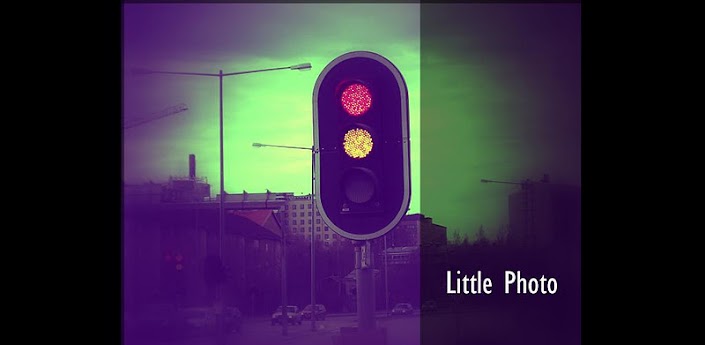
Little Photo: Add film and retouch effects to your photos.
This is free. New effects will be added in version update.
Stack multiple effects for your photo style !
Guide

——-
* Photos save at /sdcard/Little Photo *
Little Photo Plugin Added tools:
* Brightness
* Contrast
* Exposure
* Saturation
* Merge photo (combine multiple photos into one, with rotation)
* Smooth skin (Touch the skin to smooth and blur it)
* Lighten / Darken spot

Download

DSLR Controller (BETA) v0.92 Apk

Best Blog Tips
| |
0 comments
Full control of your Canon EOS DSLR from your phone or tablet through USB !
DSLR Controller is the first and only app that allows you to fully control your Canon EOS DSLR from your Android device with only a USB cable. No computer or laptop required, no root required, only a compatible mobile device, a compatible camera, and the right USB cable.

*** PLEASE READ THE ENTIRE DESCRIPTION ***
NOTICE: This is a BETA / PRE-RELEASE version. The product is not finished yet and there will still be issues. Due to massive demand and a great many requests to release, it is being released early. The price will go up once v1.0 is reached, but the upgrade is free for those who have this BETA.
Most questions should go to the support and discussion thread at XDA-Developers.com:
http://forum.xda-developers.com/showthread.php?t=1202082
*** DSLR Controller is NOT compatible with all devices!
—– Features —–
Features include but are not limited to:
- Live View
- Auto Focus (tap Live View)
- Manual focus adjustments in Auto Focus mode
- Histogram
- Zoom control
- Grid and aspect ratio display
- Bulb capture
- Continuous capture
- Image review (+ follow shot)
- Image filters (peaking, contrast, channel mask, grayscale, 4 different modes per filter)
- Video recording (basic)
- Extensive modification of settings
— Shutter speed
— Aperture
— Exposure Compensation and Bracket
— Flash Compensation
— ISO speed
— Auto-Focus Mode
— Focus and Zoom area (tap-and-hold Live View)
— Picture Style
— Drive Mode
— White Balance
— Color Temperature
— Auto-Lighting Optimizer
— Metering Mode
Available options depend on the mode you have your camera set to (M, Av, Tv, etc) and the camera model.
—– Requirements —–
- An Android device with an ARMv7-A or newer CPU architecture (virtually all 1ghz+ devices)
- Not rooted: Android 3.1 or higher with USB host kernel+API support
- Rooted: Android 2.3.1 or higher with USB host kernel support
- Supported Canon EOS DSLR
- The correct USB adapter, if applicable
Most Honeycomb and Ice Cream Sandwich devices should be compatible. Some Gingerbread phones are compatible [b]if rooted[/b], like the Samsung Galaxy S2 and Samsung Galaxy Note.
DSLR controller has been tested with the following hardware:
- Samsung Galaxy S2 (most firmwares require root), USB Host cable, eBay: “i9100 usb host”
- Motorola Xoom (3.2 without root, 3.0 possibly with root), USB Host cable, eBay: “xoom usb host”
- Acer Iconia A500, no special cable
- Asus Transformer, use keyboard dock or special USB Adapter
- Toshiba Thrive, no special cable
- Samsung Galaxy Tab 8.9″, 10.1″, 10.1″v (3.1 without root, 3.0 possibly with root), USB Adapter Kit

Download

Wednesday, April 25, 2012

Afterfocus Pro v1.0.0 APK

Best Blog Tips
| |
0 comments
Bring DSLR-like Photography to Your Smartphone
Thank you for your interest in our product AfterFocus.:)
and we're sorry for the confusion about Pro version.
Pro version has not been released yet, but is expected to be released in May.
Thank you.
====================================================
With AfterFocus, you can create DSLR-style background blurred photo by simply selecting focus area. Also, various filter effects offer you to create the most natural and realistic photo.
Selecting a focus area more precisely, you can achieve more natural and professional image.
Just mark the areas you want, AfterFocus automatically recognizes the focus area precisely even for an object with complex shapes.
This auto function allows you to work faster on smart phones with small screen.
Also, background blur effect of AfterFocus gives a photo the realistic look between the edge of the background and the focus area.
With our realistic filter effects, you will enjoy photographing and photo editing even more, and share them on SNS easily.
1. Smart focus area selection
Simply draw some lines inside a focus area and the background, then AfterFocus will automatically recognize the focus area. You can also select the area with traditional finger painting.
2. Background Blur effect
You can create the most realistic blur effect with various aperture styles just like DSLR camera.
To emphasize that certain things move, Motion blur effect is also available.
3. Filter effect
AfterFocus offers from basic effects to professional effects like Cross Process without looking artificial.
Also, you can emphasize the spot light on the background using Bokeh effect.
4. Double photo (Pro version only)
Take a picture of one object and move slightly to the right to take another picture of the same object, and it will analyze the images and recognize the nearest object, so there is no need to draw the focus area.
(Make sure that the background and the distance of the object are far enough and have clear texture to get a great result.)
5. Easy share
You can share through e-mails and SNS easily and simply.
Download

Panorama v1.3.0.120413 Apk

Best Blog Tips
| |
0 comments
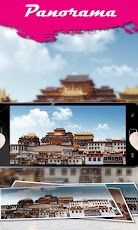
Panorama, the Best Panorama camera For FREE!!
Wouldn’t you like a view of the really big panorama picture? Try Panorama, take stunning panoramas easily!
You just need to click the Capture button, and sweep the scene rightwards or leftwards slowly and steadily.

Before capture, select the effect you like, Old Photo, Color Sketch, Black&White, just try it! Magic Shot, Magic panoramic photos!
Instantly share the Panoramas with your Facebook and Twitter friends at the same time.

Download

Noiseless Sol-e Camera Pro v1.1.1 APK

Best Blog Tips
| |
0 comments

Noiseless Sol-e Camera Pro!!( Mute, Widget, Continuous Photo, Timer, Self Camera, Secrets album(Locks Gallery...)

Features:
Completely mute camera. do not hear the shutter sound.
Shot powerful widgets
Widget camera, You do not need to run the camera, can be taken pictures immediately Widgets without shooting sound
During a call, though not in the game, even though shooting directly into the widget!!
Continuous (3,5,7,10,20 Phtos), Timer(3,5,7,10 Second), Switching front of the camera, Photo Preview Widget, Secrets album save.. etc Support!!
1x1, 2x1, 3x2(Pro) Support a variety of sizes!
Landscape, Portrait, determine the widget automatically saved at the time of shooting!
Widget at the time of shooting, image size can be specified

● Secrets album
Gallery without saving, the application stored in the internal secret photo album
Support the album password lock setting (PRO)

● Change the preview screen support!
While hiding the camera preview screen shot support.
Instead, the camera preview screen can be replaced by another picture.
Shooting buttons, option buttons, etc. can be hidden!!
Continuous (3,5,7,10,20 Photos), Timer (3,5,7,10 Second)
Photo sizes can be selected!
Storage folders can be set!
Auto focus mode can be taken!
Front, rear camera can be set!

Download

Tuesday, April 24, 2012

Camera FV-5 v1.13 APK

Best Blog Tips
| |
0 comments

Tailored to enthusiast and professional photographers, with this camera application you can capture the best raw photographs so that you can post-process them later and get stunning results. The only limit is your imagination and creativity!

Features :
All photographic parameters are adjustable and always at hand: exposure compensation, ISO, light metering mode, focus mode, white balance and program mode.
DSLR-like viewfinder display: see exposure time, aperture and stops display with EV and bracketing settings.
Full fledged exposure bracketing: from 3 to 7 frames, unlimited stops spacing, plus custom EV shifting.
Built-in intervalometer: make stunning timelapses (even bracketed/HDR timelapses) and time-controlled picture series.
Program and Speed-priority modes.
Long exposure support: take beautiful night photos and light trails with long exposure times up to 60 seconds*.
JPEG as well as RAW (PNG) image formats for lossless photo capturing, perfect for post-processing.
EXIF and XMP sidecar metadata support.
Self timer for delayed shooting.
Autofocus, macro, touch-to-focus** and infinity focus modes, plus a focus lock switch (AF-L).
In background photo developing and processing allows a smooth, uninterrupted camera operation.
This camera application completely avoids scene modes, instead you get full manual control over all photographic parameters, just like you do with a reflex camera, so you can ultimately control every aspect of the picture, and leave the post-processing to the computer. So after your DSLR, you will never miss a photo opportunity again, being able to capture it with the closer sensation to your DSLR as possible.

What's in this version: (Updated Apr 22, 2012)
New: touch-focus support for Android 4.0+ devices. Also, touch-focus support in Android 2.x devices has been improved (however, the number of devices running Android 2.x supported is limited).

Download

Like Us On Facebook

Dont Forget to Like on Facebook to receive Updates.
Powered by Blogger.

ShareThis