Showing posts with label Market. Show all posts

Sunday, April 08, 2012

Market Unlocker Pro v1.2.2 Cracked APK (No Lucky Patcher Needed)

Best Blog Tips
| |
0 comments

Unlimited access to paid app in Google Play and Amazon Appstore

Market Unlocker lets you access paid or restricted apps in Android Market 2.x and 3.x and Amazon Appstore in one click. It's safe, stable and simple.

This pro version remove all advertisements and enable automatic fetch/configuration of proxy comparing to free version.

For some apps are just enabled for some specific countries and not available to the other countries,so it is very difficult to download many high quality software. Market Unlocker lets you access paid apps from countries where paid apps are not yet available.

== Requirements ==
* Get Root permission
* Installed Google Play (Android Market)
* Installed Amazon Appstore (optional)
* Installed app in internal storage to auto unlock

== Features ==
* Change provider in one click
* Change provider automatically on boot or switch to flight mode
* Access Market via Proxy. It support HTTP/Socks4/5 proxy and user authentication.
* Support Amazon Appstore outside USA.
* Support fetch and configure proxy automatically
* Support global proxy for all applications

==== Basic Usage ====
To work with Android Market 2.x,
Switch "Enable Unlocker" button to ON and Open Android Market to buy paid app. Optionally different provider can be configured in "Market" tab.
To work with Android Market 3.x and Google Play,
1. Turn on flight mode
2. Enable Market Unlocker and auto unlock (by default Verizon is configured)
3. Got to system Setting => Applications => Manage applications => All => Market, and click "Clear data"
4. Reboot phone
5. Turn on Wifi/3G
6. Wait google service sync-up completed or refresh in Gmail.
7. Open Android Market or Google Play. paid apps are there.
Turn off flight mode now.

Amazon Appstore does not allow users to buy paid apps from outside USA, even if users have been registered use US credit card and billing address. Market Unlocker will set USA proxy to help you buy daily free apps as well as paid apps.
To work with Amazon Appstore outside USA,

First install Appstore app, otherwise the function will not be visible.
1. Go to Proxy tab
2. Click edit icon beside "Proxy For Applications", select "Amazon Appstore" in list, and click OK button.
3. Configure Proxy Type, Proxy Host, Proxy Port. Please make sure you're using an effect USA proxy server first.
4. Switch "Enable Proxy" to "ON"
5. Open Amazon Appstore and enjoy

If still get "unavailable in your region" error, please check the credit card and billing address info or contact me.
To set up a global proxy for all applications,
1. Go to Proxy tab
2. Click edit icon beside "Proxy For Applications", select "All applications" in list, and click OK button.
3. Configure Proxy Type, Proxy Host, Proxy Port. Please make sure you're using an effect USA proxy server first.
4. Enable "Enable Proxy" to "ON"
Now proxy server is routing all the system and application traffic.
To restore original market,
Go to Home tab and click "Back to default market", or go to Home tab, Switch "Enable Unlocker" button to OFF and reboot phone

What's in this version:
Fixed no proxy found error on motorola milestone
Hide proxy running icon if "Show Notification" option not checked
Added global proxy support
Added options to select proxy for Android Market, Amazon and whole system separately. Select Amazon Appstore instead of "Involve Amazon Appstore"
Added support page and share on about dialog
Added locaiization for Brazil portuguese, German, Turkish, traditional Chinese, Romanian and Russian
Changed Android Market to Google Play
Fixed proxy validation error

Note:
Cracked, no lucky patcher needed.

Download

Thursday, April 05, 2012

Google Play Store v3.5.16 Mod (Extra Features Enabled)

Best Blog Tips
| |
0 comments

Play Anywhere, All your entertainment in one place, Google Play is your one-stop shop for all your favorite entertainment.

Google Play is your one-stop shop for all your favorite entertainment. With over 450,000 apps, millions of songs and books, and thousands of movies, Google Play has something for everyone. Before you decide what you want, sample a free music or book, view app ratings, reviews, and screenshots, or watch a movie trailer. Google Play is a more connected, powerful experience.

The power of the cloud
How cool would it be if your entertainment was just available anywhere? Now it is. Buy a book on your Android phone and read it on the web at play.google.com. http://goo.gl/ovsCS Buy a new album on your Android tablet and listen to it on your desktop at work. Rent a movie online and watch it anywhere on your phone. That’s the beauty of the cloud. You can read, listen and watch all your favorite content anywhere you want. No software required and no wires or syncing needed, and the best part - Google Play cloud is free to use.

Share what you love
Discover, shop, enjoy, and share music, movies, books, and apps anytime, anywhere. When you discover an amazing song, a nail-biting thriller or memorable movie, the first thing you want to do is share it with your friends. On Google Play sharing your favorite entertainment just got easier. You can easily share posts about your favorite books, music, movies, games or apps to your circles on Google+, email, or text message in a single click.

Play with music
Find music you love
Google Play has hand-picked rising artists and great bands from your favorite genres. With music on Google Play, you’ll get personalized recommendations based on what you listen to most. And when you're not shopping for new music, rediscover your library by creating an Instant Mix.

Buy now, listen now, sync never
There are hundreds of free songs and millions more to buy on Google Play. The music you choose is automatically stored in your Google Play music library and instantly ready to play on your computer, Android phone or tablet.

Your music, anytime, anywhere
Access your Google Play music library anywhere, anytime - no syncing, no wires. Stream music instantly on the Web and listen on your Android phone or tablet with the Google Play Music app. Not online? No problem. Just pin your favorites to your mobile device for offline playback.

Organize your music
Keep all your music in one place. Anything you get on Google Play is automatically stored in your music library and you can even add up to 20,000 of your own songs for free. With your music saved online, you can stop worrying about storage space and start enjoying your collection anywhere.

Give your friends a free listen
Sharing is caring. When you buy music on Google Play, you can share a free listen with your friends on Google+. And you get a free listen when they share what they've bought with you. It's sharing, discovering and buying music made simple.

Play with books
Find new books
Discovering your favorite books and authors has never been easier. With Google Play, shop the world's largest selection of eBooks - from thrillers to comedy, cookbooks, bestselling fiction, and everything in between - find over 4 million books to choose from, including millions of free titles. With Google Play, your next great read is always at your fingertips.

Buy anytime, anywhere
Shop on the web or on your device, find the eBooks you love, and start reading instantly. Choose from millions of titles, browse new releases, sample books for free, and find the latest up-and-coming authors.

Share what you love
Sharing the books you love with family and friends is just a click away. With Google Play you can easily post your favorite reads to your circles on Google+, via email, or text message, right from the pages of your book, without skipping a beat.

Your books in the cloud
With Google Play enjoy seamless syncing and easy access across your devices. All your books are stored in the cloud, so your entire library is always with you, accessible from any connected device. And with offline reading, it’s never been simpler to dive into your favorite books when you are offline, out of range, or in the air. Start reading on your tablet, continue on the web, and finish that chapter on your phone. You’ll pick up the story just where you left off, always on the right page.

Customize your reading experience
Read your books any way you like them on Google Play. Easily switch between day or nighttime mode, view in landscape or portrait, choose your font, text size, line height, and customize to your heart’s content.

Play with apps and games
There is an app for everyone
Race to the finish line. Score a goal. Buy stocks. Read the news. Buy movie tickets. Update your status. Personalize your phone with live wallpapers, ringtones, and widgets. With over 450,000 Android apps and games your phone truly is your mobile entertainment system, organizer and portable computer all wrapped in one.

Find new apps and games
Looking for new apps? Check out our staff picks, hand-picked by our editorial team, browse apps by category or just search for them. You can also read reviews and ratings from other app and games users, and even add your own.

Get the latest updates
App developers are always updating their amazing apps with new features, tools and fixes. Google Play makes keeping your favorite apps up to date easy. Select ‘update automatically’ in your app settings and your app will always be updated. Or choose to update all your apps in one click. It’s that simple.

Get your favorite app, anywhere
Just found a new app on the web and can’t wait to try it? Install it from Google Play on the Web without ever touching your device. The app you install is now available on the device you choose - instantly.

Play with movies
Find the movies you love
Choose from an incredible selection of thousands of movies on Google Play including HD titles, new releases, award-winning films or your favorite classics. Whether you’re in the mood for comedy, drama, animation, action or a documentary, there’s a movie that’s right for you.

Watch it now or later
Rent movies and watch them instantly. Alternatively, download your movie for offline viewing and view it later using the Google Play Movies app or watch it directly on the Web.

Watch it anywhere
Watch Google Play movies anywhere -- your couch, your friends’ house or in-flight. When you rent a movie with Google Play you can watch it on your phone, tablet or any Web connected PC.

What's in this version:
You now have the Installed and All tabs you can swipe between. The former one is what we used to have before - it lists all apps installed on your device. The latter lists all apps you've ever installed in case you want to download them again or travel down the memory lane. This is quite handy, and I've seen this list before in the Play Store on the web, so it's great to get it here in the mobile app.
The All tab contains a handy dropdown with all your accounts (if you added more than one) and lets you switch between them very easily (as opposed to clicking Menu, etc).
A few of the stock apps that apparently never got linked to the Play Store before got identified and picked up this time, and updates to them were waiting for me when I fired the Store up. I've complained about this very bug in my last rant, and it looks like someone listened.

Mod version features:
Unlimited access to apps in Google Play Store
Removed countries restriction in Google Play Store
Fixed the issue which your device is not compatible with this item in Google Play Store


Credits to L.D.B.

If getting this error "application not installed" then follow these steps:

1 Be sure, your phone is rooted properly
2 Download Root Explorer if you don't have it installed
3 Go to /system/app/ and delete the Vending.apk (leave the Vending.odex untouched!). Sure, youc an backup your old Vending.apk to your SDCard as well.
4 Install the downloaded Vending.apk
5 Reboot your phone
6 Start Play Store and grant the access. You'll be asked to do so
7 Enjoy!


Download

Sunday, March 25, 2012

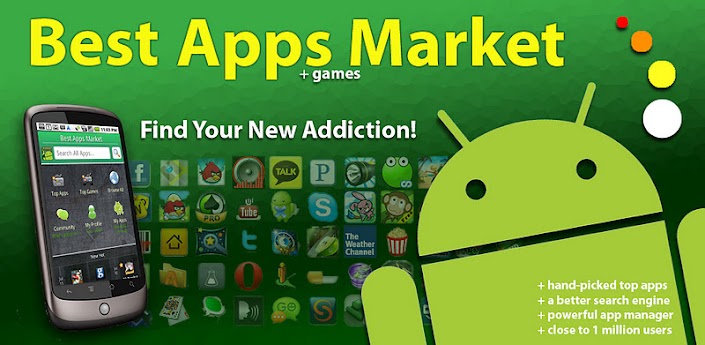
Best Apps Market v1.7.3 APK

Best Blog Tips
| |
0 comments

BAM is the fast Android Market focused on FREE Apps! Top Apps, Top Games & more!

The Best Market App. Focused on FREE Top Apps & Top Games, hand picked by experts. Experts categorize apps & tag with traits, so you get a better Search, easy filtering & great recommendations. It’s like Pandora for apps plus all the tools you need to manage your apps. Optimized for speed: Fast to open, fast to browse & fast to search, no clutter!

- FREE: Emphasize Free Apps & Games
- REVIEWED: Experts Categorize & Tag
- FAST: Designed for Speed

Install the best alternative to the Android Market. It's the best discovery tool in the Market, including personalized recommendations based on app you have installed.
We organized the applications in ways to get to the best apps & games quickly & we have tools for the most sophisticated Android user:

- Top Apps & Top Games: 100+ Editorialized lists

- Apps of the Day: Two hand-picked top apps every day on the dashboard. Only very recommended apps here!

- Better Search: Quick suggestions as you type & human optimized

- Community Pro/Con: Real reasons voted up/down by people like you

- My Apps: The fastest App Manager! Move2SD, Uninstall & Share

- Widgets: App of the Day & Last Installed Apps

"BAM" is the Best Market App! Start with Top Apps & Top Games: it’s like the editorial lists in iPhone for the Android Market. BAM is the best way to find a new app & new game without wasting time in the market searching through junk!! Our editors review many apps & games then create useful lists of only the BEST ones for you. We actually install each app & find the ones you'd like best for each type. So you'll only see one "poker" app or the best puzzle game or the best camera replacement, not the same ones. Each has quotes on why we like it & we make our lists useful & practical: "Optimize My Phone", "Pranks & Jokes", "Holidays & Occasions",etc

You'll get notifications of the new Editor's Choice once a week, so you'll be ahead of everyone!

MAIN FEATURES:

1) TOP APP LISTS

• Critical Apps
• Optimize Your Phone
• Organize Your Life Apps
• Save Money Apps

...Many More

2) TOP GAME LISTS

• Best. Games. EVER.
• Action & Adventure
• Classic Arcades
• Multi Player at Once
• Strategic Simulation

...Many More

3) BROWSE ALL APPS & GAMES

• Search & discover new apps

• We check for compatibility with your phone & only show usable apps

• Filter by categories, paid/free, ratings & installs. Combine filters to explore the best apps in the market. Try "not so popular" & "just in" filters to discover apps with potential but are the best new apps to the Market

4) HOT TODAY & COMMUNITY

• See trending up app & games installed by the community

• See Community added pros/cons, comments & thumbs up/down in real-time

• Rate apps with our unique Pros & Cons system. Share with the community "Reasons to Install" & "Reasons NOT to Install”

• No sign-up required, but pick a nickname to be recognized

5) APPS FOR YOU: Personal app recommendations based on your installed apps

• See new apps to install every day with reasons why based on your current apps

• Reasons include better ratings, more popular, etc.

6) MY PROFILE

• Easily access apps you Favorite here

• Apps add to Wishlist are here to go install. To add apps to your wish list (tap on the star in the detail page)

7) MY APPS: All your installed apps

• Apps Manager: See apps that are movable to sd card. Move apps2SD / Move apps to the phone

• Quick Uninstaller: Uninstall apps with 1 click

• Share/Send with friends or post on Facebook, Twitter, Email

• Sort by installation date, sd-card availability, size & name

8) APPS OF THE DAY - Daily suggestions

• Editors' choice are 1/week & you get notifications

9) COOL WIDGETS

• Last Installed Apps Launcher Widget: recently installed apps, no need to search for the apps

• Apps of the Day Launcher Widget: new apps of the day today

• NOTE: BAM must be on phone for the widgets to work, not on SD. Move & restart phone
Download

Sunday, March 18, 2012

Google Play Store (Android Market) v3.5.15 APK

Best Blog Tips
| |
0 comments

Play Anywhere, All your entertainment in one place, Google Play is your one-stop shop for all your favorite entertainment.

Google Play is your one-stop shop for all your favorite entertainment. With over 450,000 apps, millions of songs and books, and thousands of movies, Google Play has something for everyone. Before you decide what you want, sample a free music or book, view app ratings, reviews, and screenshots, or watch a movie trailer. Google Play is a more connected, powerful experience.

The power of the cloud
How cool would it be if your entertainment was just available anywhere? Now it is. Buy a book on your Android phone and read it on the web at play.google.com. http://goo.gl/ovsCS Buy a new album on your Android tablet and listen to it on your desktop at work. Rent a movie online and watch it anywhere on your phone. That’s the beauty of the cloud. You can read, listen and watch all your favorite content anywhere you want. No software required and no wires or syncing needed, and the best part - Google Play cloud is free to use.

Share what you love
Discover, shop, enjoy, and share music, movies, books, and apps anytime, anywhere. When you discover an amazing song, a nail-biting thriller or memorable movie, the first thing you want to do is share it with your friends. On Google Play sharing your favorite entertainment just got easier. You can easily share posts about your favorite books, music, movies, games or apps to your circles on Google+, email, or text message in a single click.

Play with music
Find music you love
Google Play has hand-picked rising artists and great bands from your favorite genres. With music on Google Play, you’ll get personalized recommendations based on what you listen to most. And when you're not shopping for new music, rediscover your library by creating an Instant Mix.

Buy now, listen now, sync never
There are hundreds of free songs and millions more to buy on Google Play. The music you choose is automatically stored in your Google Play music library and instantly ready to play on your computer, Android phone or tablet.

Your music, anytime, anywhere
Access your Google Play music library anywhere, anytime - no syncing, no wires. Stream music instantly on the Web and listen on your Android phone or tablet with the Google Play Music app. Not online? No problem. Just pin your favorites to your mobile device for offline playback.

Organize your music
Keep all your music in one place. Anything you get on Google Play is automatically stored in your music library and you can even add up to 20,000 of your own songs for free. With your music saved online, you can stop worrying about storage space and start enjoying your collection anywhere.

Give your friends a free listen
Sharing is caring. When you buy music on Google Play, you can share a free listen with your friends on Google+. And you get a free listen when they share what they've bought with you. It's sharing, discovering and buying music made simple.

Play with books
Find new books
Discovering your favorite books and authors has never been easier. With Google Play, shop the world's largest selection of eBooks - from thrillers to comedy, cookbooks, bestselling fiction, and everything in between - find over 4 million books to choose from, including millions of free titles. With Google Play, your next great read is always at your fingertips.

Buy anytime, anywhere
Shop on the web or on your device, find the eBooks you love, and start reading instantly. Choose from millions of titles, browse new releases, sample books for free, and find the latest up-and-coming authors.

Share what you love
Sharing the books you love with family and friends is just a click away. With Google Play you can easily post your favorite reads to your circles on Google+, via email, or text message, right from the pages of your book, without skipping a beat.

Your books in the cloud
With Google Play enjoy seamless syncing and easy access across your devices. All your books are stored in the cloud, so your entire library is always with you, accessible from any connected device. And with offline reading, it’s never been simpler to dive into your favorite books when you are offline, out of range, or in the air. Start reading on your tablet, continue on the web, and finish that chapter on your phone. You’ll pick up the story just where you left off, always on the right page.

Customize your reading experience
Read your books any way you like them on Google Play. Easily switch between day or nighttime mode, view in landscape or portrait, choose your font, text size, line height, and customize to your heart’s content.

Play with apps and games
There is an app for everyone
Race to the finish line. Score a goal. Buy stocks. Read the news. Buy movie tickets. Update your status. Personalize your phone with live wallpapers, ringtones, and widgets. With over 450,000 Android apps and games your phone truly is your mobile entertainment system, organizer and portable computer all wrapped in one.

Find new apps and games
Looking for new apps? Check out our staff picks, hand-picked by our editorial team, browse apps by category or just search for them. You can also read reviews and ratings from other app and games users, and even add your own.

Get the latest updates
App developers are always updating their amazing apps with new features, tools and fixes. Google Play makes keeping your favorite apps up to date easy. Select ‘update automatically’ in your app settings and your app will always be updated. Or choose to update all your apps in one click. It’s that simple.

Get your favorite app, anywhere
Just found a new app on the web and can’t wait to try it? Install it from Google Play on the Web without ever touching your device. The app you install is now available on the device you choose - instantly.

Play with movies
Find the movies you love
Choose from an incredible selection of thousands of movies on Google Play including HD titles, new releases, award-winning films or your favorite classics. Whether you’re in the mood for comedy, drama, animation, action or a documentary, there’s a movie that’s right for you.

Watch it now or later
Rent movies and watch them instantly. Alternatively, download your movie for offline viewing and view it later using the Google Play Movies app or watch it directly on the Web.

Watch it anywhere
Watch Google Play movies anywhere -- your couch, your friends’ house or in-flight. When you rent a movie with Google Play you can watch it on your phone, tablet or any Web connected PC.

What's in this version:
You now have the Installed and All tabs you can swipe between. The former one is what we used to have before - it lists all apps installed on your device. The latter lists all apps you've ever installed in case you want to download them again or travel down the memory lane. This is quite handy, and I've seen this list before in the Play Store on the web, so it's great to get it here in the mobile app.
The All tab contains a handy dropdown with all your accounts (if you added more than one) and lets you switch between them very easily (as opposed to clicking Menu, etc).
A few of the stock apps that apparently never got linked to the Play Store before got identified and picked up this time, and updates to them were waiting for me when I fired the Store up. I've complained about this very bug in my last rant, and it looks like someone listened.

Mod version features:
Unlimited access to apps in Google Play Store
Removed countries restriction in Google Play Store
Fixed the issue which your device is not compatible with this item in Google Play Store
Download

Like Us On Facebook

Dont Forget to Like on Facebook to receive Updates.
Powered by Blogger.

ShareThis