Showing posts with label Photo Editor. Show all posts

Thursday, April 26, 2012

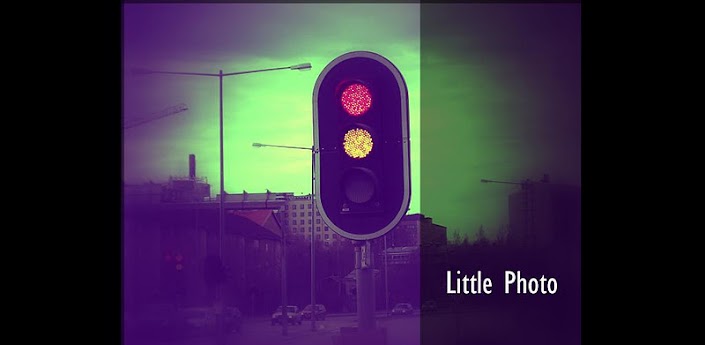
Little Photo v6.3.0 + Plugin Apk

Best Blog Tips
| |
0 comments
Little Photo: Add film and retouch effects to your photos.
This is free. New effects will be added in version update.
Stack multiple effects for your photo style !
Guide

——-
* Photos save at /sdcard/Little Photo *
Little Photo Plugin Added tools:
* Brightness
* Contrast
* Exposure
* Saturation
* Merge photo (combine multiple photos into one, with rotation)
* Smooth skin (Touch the skin to smooth and blur it)
* Lighten / Darken spot

Download

Friday, April 20, 2012

Camera ZOOM FX v3.5.1 and Mod Plugins APK

Best Blog Tips
| |
0 comments

Camera ZOOM FX combines powerful camera functions with stunning post processing – creating magic moments is fun and fast!!
Over 90 unique FX – combine these in a non-destructive way to create infinite processing options.


* optical zoom (if device supports)
* OR digital zoom (up to 6x)
* capture / process at full camera resolution (up to 8mp if device supports)
* customization of ALL hardware buttons to camera functions
- e.g. volume buttons to control zoom, trackball to snap shot…
* 10 ready made presets
- Diana, Retro, Holga 35mm, Toy Camera…
* 20 Color FX
- vintage, lomo, cinematic, funky, pencil…
* 9 Mirror FX
* 12 Distort FX
- fisheye, mosaic, twirl…
* 13 Frames
- thin, rounded, lens, polaroid, filmreel…
* 6 Vignette Surrounds
- heavy, invert, spotlight…
* crop to any size of your choice
- original, 3×8, square, instant, 6×4…
* digi composites (photoshop style overlays)
* resizable, movable props and famous ‘buddies’ in your pictures
* random effects
* combine effects using non-destructive editing
* silent camera (if device supports)
* flash (if avail)
* shooting modes
- normal
- stable shot
- timer
- voice activated
- burst mode
- collage
- time lapse
* pro stable shot: on-screen meter to show current level of movement
* voice activated: take a picture by clapping
* collage: e.g. 2×2 passport style combination shots
* fullscreen shutter
* onscreen shutter button
* animated shutter effect
* support geotag / exif tags
* win $100 in Instagram style photo contest
* auto save shots
* tweak hardware options: autofocus, whitebalance, nightshot, antibanding…
* scene modes, e.g. nightshot, beach (Droid only)
* send, share your shots
* 1-click upload photo to Facebook, Twitter, Flickr, etc. – ALL AT ONCE!
* view last shot in picture gallery
* import existing photos
* use as default camera
* rotate / crop photos
* widescreen lens / capture (if device supports)
* customizable grid overlays
* support from Android 1.5 through to Android 3.0 (incl tablets)
* FREE download packs
- fun props
- frames
- famous ‘buddies’ in your pictures
- composites
- shutter animations
Download

Thursday, April 19, 2012

Photo Montager Full v2.557 APK

Best Blog Tips
| |
0 comments

Have fun with your photos! Gallery, camera, & Facebook. You'll love it!

Choose among a huge selection of backdrops to create a great photomontage!

Use your gallery, camera, or Facebook. Optionally apply awesome filters and add text, then share with your friends.

Features:
20000+ HD beautiful backdrop templates (with many being added daily!) 3/16/2012: 21672 templates.
no watermark
no ads
100+ cool fonts
600+ amazing photo effects


Download

Wednesday, April 18, 2012

Photaf Panorama Pro v3.0.9[THD] APK

Best Blog Tips
| |
0 comments

by utilizing the camera and the orientation sensor.
* Photaf – The best Android App for making panoramas *
* One of the Top 10 Android Photography apps *
With Photaf you can create amazing 3D panoramas easily by utilizing the camera and the orientation sensor to know the exact angle each picture was taken.

When done, you can move your phone around to see the complete panoramic view by using the phone’s compass or the touch screen.
View Photaf’s online panoramas gallery and get tips for taking better panoramas at www.photaf.com website.
Features:


● Facebook Share – Share panoramas with your friends!
● Upload to Photaf.com website and view it from your computer!
● Automatic Image Stitching
● Pinch to Zoom
● Move to SD
● Set as Live wallpaper (Pro version)
● HD Mode (Pro Version)
● Use Camera in portrait mode (Pro Version)
● Export to gallery folder
● Optimized for Honeycomb – Works on the Motorola Xoom, Asus Transformer, Samsung Galaxy Tab 10.1, and all other Honeycomb tablets
Download

Vignette full v2012.03.24.6 APK

Best Blog Tips
| |
0 comments

Vignette: Add film and camera effects to your photos.
Add film and camera effects to your photos.
• 68 effects & 56 frames 
• Retro/vintage styles
• LOMO/Diana/Holga toy camera styles
• Polaroid/instant camera styles

• Cross-process, tilt-shift, photobooth, double exposure and more.
• Supports the full resolution of your camera (3.1MP, 5MP or 8MP)
• Flash (if your phone has one) (not working on Dell Streak)
• Front-facing camera support (on some phones)
• Self-timer and time-lapse
• Digital zoom
• Geotagging


Download

80+ Photo Effects v2.0 APK

Best Blog Tips
| |
0 comments

Photo Effects is a simple but powerfull app with more than 60 effects (for now), divided into 4 categories. It’s the simplest photo app in the market, in fact you can apply an effect to a photo in 3 steps:
1.Open your photo
2.Select your effects

3.Save your photo(in the same folder of the original photo)
There are more than 40 beautiful effects. In each release will be add new effects.
Languages ​​available: ENGLISH, Italian and FrenchAttention:
-1 effect is still in Beta
-Image too big will be resized
-Image is saved in the same folder with the original name+the number of the category+the number of the effect.
Download

Sunday, April 15, 2012

Vignette full v2012.03.24.4 APK

Best Blog Tips
| |
0 comments

Vignette: Add film and camera effects to your photos.
Add film and camera effects to your photos.
• 68 effects & 56 frames
• Retro/vintage styles

• LOMO/Diana/Holga toy camera styles
• Polaroid/instant camera styles
• Cross-process, tilt-shift, photobooth, double exposure and more.
• Supports the full resolution of your camera (3.1MP, 5MP or 8MP)
• Flash (if your phone has one) (not working on Dell Streak)
• Front-facing camera support (on some phones)
• Self-timer and time-lapse
• Digital zoom
• Geotagging
Download

Little Photo v6.2.1 + Plugin APK

Best Blog Tips
| |
0 comments

Little Photo: Add film and retouch effects to your photos.
This is free. New effects will be added in version update.
Stack multiple effects for your photo style !
Guide

——-
* Photos save at /sdcard/Little Photo *
Little Photo Plugin Added tools:
* Brightness
* Contrast
* Exposure
* Saturation
* Merge photo (combine multiple photos into one, with rotation)
* Smooth skin (Touch the skin to smooth and blur it)
* Lighten / Darken spot
Download

Sunday, April 08, 2012

ModFace v1.3.0 APK (Full/Pro Version)

Best Blog Tips
| |
0 comments

You memefanatic can’t miss the Modface. The app that is going to make your photomontages easier and faster. It is simple and fast: take a picture, the app is going to recognize people’s faces and automatically substitute their faces with one of the many memes available.

Didn’t you like the selected meme? Just change it for another one.

You Don’t want a meme on that face? Just press the remove button.

Do you want to add another meme to the photo? Just select one and move it to any position of the picture.

You can also alter the size of the memes and rotate them. All that in a quick way and without expensive photo editor softwares.

After your photo is done it is time to share it with your friends through the most popular social networks, with few clicks only.
Download

Wednesday, April 04, 2012

Instagram v1.0.0 APK

Best Blog Tips
| |
0 comments

Instagram – A beautiful way to share your world. It's fast, free and fun! 


Pick from one of several gorgeous filtered effects to breathe a new life into your mobile photos. Transform everyday moments into works of art you'll want to share with friends and family.


Share your photos in a simple photo stream with friends to see - and follow your friends' photos with the click of a single button. Every day you open up Instagram, you'll see new photos from your closest friends, and creative people from around the world.


Features
:

☆ 100% free custom designed filters and borders
☆ Lux works its magic by making your photos more vibrant and brings out details in your photos you couldn't see before
☆ Instant sharing to Facebook, Twitter, Tumblr, and Foursquare (Flickr coming very soon)
☆ Interact with friends through giving & receiving likes and comments
☆ Works with Android versions 2.2 and above that support OpenGL ES 2
☆ Full front & back camera support

☆ And much much more...
Download

PicsArt - Photo Studio v2.5.4 APK (No-Ads) Mediafire

Best Blog Tips
| |
0 comments

Your photo art inspiration & community.
INSTALL PicsArt, All-in-One Picture Editor!

PicsArt combines the best features of many photo applications it is one of best and most complete photo editors available for free in the market for Android devices.

Picture editor - Tons of photo filters, collage, frames, stickers, text effects, clipart graphics, crop, rotate, adjust color and add artistic effects.

Magic effects - awesome artistic photo effects such as Stenciler, Cartoonizer, Sketcher, Orton, Lomo,
Vintage, Cross Process, HDR, Fattal, Pencil, Holgaart, Watercolor, Sketcher, Contours, Comic, Neon, Gouache, Old Paper, Pastel, Red Eye Remover, Holgaart, Popart 2, Smart Blur, Face Fix, Color Splash and more!

Draw - Many drawing effects, draw sticker mode, callouts, Artistic brushes and text styles! Draw on your Facebook friend's photos and share your artwork with World!

Sharing - quickly share with family and friends in PicsArt social network or by posting / uploading photos on Facebook wall, Flickr, Picasa, Dropbox, Fouresquare, Tumblr, Blogger and Wordpress or send photos by SMS and email.

Network - based on PicsIn network, one of the most popular mobile picture sharing networks.

Camera - enables you to take a picture and apply various effects by enhancing standard Camera.

Live Wallpaper - enjoy springing funny color lines.

Supported Languages - English, Japanese, German, Chinese, Polish, Korean, French, Spanish, Italian, Russian

PicsArt based on technology of several former apps such as "PicsIn Photo Studio", Photoid, AnDrawing, "Magic Effects" etc.

What's in this version:
v2.5.2
Masks and Effects fixed for Galaxy S2(with ICS)
14 New Birthday frames

Download

Monday, March 19, 2012

Easy Photo Editor v0.3.7 APK

Best Blog Tips
| |
0 comments

Easy Photo Editor gives you easy access to photo editing features right on your phone.

IMPORTANT NOTE: There have been many bad rating stating you cannot save your edited photos. Please click the "Edited Photos" button -> tadaaaa :)

Easy Photo Editor saves your edited photos in FULL HIRES RESOLUTION! :D

rogier666 on XDA: "[...] it looks like your app is the first (free) photo editor that doesn't kill the exif tags. Congrats!"

Thanks to Aviary Android SDK, you can place texts on your photos, crop, rotate, apply effects, and many more...

You can select your local photos or choose to browse your Facebook photos and those of your Facebook friends.

Easy Photo Editor also easily integrates with all your existing photo apps: simply use the share/send function of those apps and choose Easy Photo Editor to handle it :)
Download

FX Photo Editor Full 1.2 APK

Best Blog Tips
| |
0 comments

★★★★★ The best photo editor ever!
Featured as "One of the top 10 hottest apps"
- March 14th, AppBrain.com

"if you think that your current photo-editing app isn’t enough for your needs, JellyBus Inc. has introduced a great new Android app that you might want to try out."
- Waqas Ahmed, Addictivetips.com

★★★★★ The best photo editor ever!

FX Photo Editor contains 110 presets and all editing features which allow you to express the best moment of your life.

Photos of your daily life and travelling can be depicted as the most memorable moment.
FX Photo Editor is easier and more convenient than any other editors. Touch and touch! With few taps your photo will be amazingly changed. You can be a professional photographer.

★ Youtube Video clip Review : http://youtu.be/t0hxtc3EZOE

(1) 110 Professional Presets
110 presets in 10 themes will satisfy everyone – All kinds of your photo can be depicted beautifully with 110 awesome presets.
Preset Themes : Scene, HDR, Blur, ART, Vintage, Grunge, Beauty, Professional, Color Splash, Black & White

(2) Real time Preset opacity control
You are able to control the opacity of presets when you apply it. By adjusting the opacity you can have varied effects within a preset.

(3) Get your own unique effect from unlimited combinations of presets
You can apply one and more presets to your photo. Through this work, you can get an unlimited number of preset combinations and are allowed to create your unique effects.
.
(4) Favorite and History list
You can add presets you like to the Favorite list.
Presets you have used lately are automatically listed in History and they can be called and used conveniently when you edit a photo.
To the Favorite up to 30 presets, and to History up to 20 presets can be added to each list. If the maximum number of Favorite and History list is over, the oldest preset will disappear from the lists.

(5) Time Matrix with temporal photographic effects
Time Matrix is a special function that allows you to express a particular time’s atmosphere in a photo.
Like a time machine, you can travel time with Time Matrix and apply a variety of effects according to the time you set.
You can experience this astonishing feature, Time Matrix, provided exclusively by FX Photo Editor.

(6) The edition tools for the varied purpose, from beginners to professionals
FX Photo editor provides not only the basic edition tools such as Color, Contrast, Exposure and etc., but also the professional edition tools like Histogram, B&W Curve, Colored Curve, and White Balance These professional tools are especially for those people who want to control more detailed adjustment.

(7) Different feeling of a photo with Textures
Textures are provided in order to help you make a photo more stylish and express various feelings through a photo. The opacity of textures can be controlled.

(8) Useful Borders and Vignetting
Complete edition with the last touch of putting a photo in borders.
Moreover, there are different styles of vignetting and you can also control the strength of vignetting.

(9) Save in various resolutions
FX Photo editor allows you to save a photo in from SNS optimized sizes up to the size of 2048 px..
(The saving size can be differentiated in some Android devices.)

(10) Manual
FX Photo Editor is designed for everyone to use conveniently and easily.

[ Features ]
- Take a photo and Load a photo
- Environmental settings
- 110 Presets categorized in 10 themes
- Filter effects and real-time control
- Time Matrix
- Crop and Mirror
- Color, Contrast, Saturation, Exposure
- Histogram, Colored Curve, B&W Curve, White Balance
- Textures
- Different styles and opacity control of vignetting
- Useful stylish Borders
- Compare with an original photo anytime
- FX Photo Editor Manual

Your precious 5 stars encaurage us to develop and improve our application constantly. Thank you very much!
We are waiting for your feedback:)

[Notice]
We recommend taking photos by applying 5M Pixels option if you want to edit photos for best quality.

What's in this version:
Move to SD card option available
Share intent improved
Download

Thursday, March 15, 2012

Picasa Mobile v3.0.7 APK Full Version

Best Blog Tips
| |
0 comments
Fast Picasa Web photo viewer, manager and uploader for Android devices.
Picasa Mobile was designed to facilitate viewing and managing your *online* Picasa albums and photos. Main features:
* Direct camera upload including GPS coordinates - it will upload your photos the moment you take them (using the app's "Camera" menu option). The photos will appear in your default Picasa album and they will include the location where you were at the time. (Note: to auto-upload photos taken by other apps, you must enable it from the app's settings)
* Fast Picasa Web album and photo browsing - you can use this app as a virtual photo album, you can show your Picasa albums to your friends and brag about the places you visited.
* Manage your Picasa albums: create new albums or update existing ones.
* Move your photos from one online album to another
* Video playback: play any video in any Picasa album, including your contacts' videos and any public videos. You can also play any local videos.
* Video upload: you can also upload local videos to your online Picasa albums.
* Local photo browsing and upload: review the pictures on your phone's SD card and upload them to the Picasa album of your choice.
* Batch operations: upload, download, move or delete several photos at a time. (To do so, tap the Menu key in any "Photo Selector" view, then tap on thumbnails to select.)
* Social features:
- Search public Picasa photos based on keywords
- View your contacts' public albums
- Invite your friends to see your Picasa Web albums
- Share your Picasa Web albums and photos through any compatible app (Gmail, Blogger, Yahoo Mail)
* Download any photo you can see in the app
* Full screen slideshow with configurable time interval
* Multiple accounts: you can easily switch between all your Google accounts.
* Secure: by default, it integrates with your Android's Google account and it never asks you for a password. All the communication with Google Picasa is over https.
* Free and continuous software updates: we will be releasing new features often, based on user feedback.
* Detailed online help and FAQ: http://imprologic.com/picasa/android/help/
SETUP
After installation, please tap on Accounts and make sure the Google account you normally use with Picasa Web is set as default. After that, if you can see your Online Albums, everything is setup correctly.
OTHER CONSIDERATIONS
The online photos are retrieved only the first time they are accessed, then cached. For any subsequent access, the photo is retrieved from cache, in order to save data usage.
If all the photos in an album are already cached, Picasa Mobile will only re-query your list of photos (not the actual images) to check for changes.

Download

Sunday, March 04, 2012

Beauty Camera v1.40 APK

Best Blog Tips
| |
0 comments
Beauty Camera
"Beauty Camera" is designed to make your photo look more beautiful.
When you take photos in dark room, the face or object will not lookas beautiful as usual. BeautyCamera helps solve the problem.
You can not only adjust the brightness but also tonal and detail of the photo. With the app you can also smooth the skin, remove spot on the face.
Features:
- Take new photo or select photo in phone
- Compare the effect with previous photo
- Adjust brightness, tonal, smoothing and detal
- Save new image
- Share images with your friends via facebook, twitter, email etc
Download

Thursday, February 16, 2012

ColorUp v5.2 APK

Best Blog Tips
| |
0 comments
Pep up your pics by turning selected regions to color and rest to black & white
Pep up your pictures by turning selected regions to color and rest to black and white.
* On screen toolbar for ease of use
* Minimum price
TIP: Zoom picture to edit small regions instead of reducing brush size
Download

BeFunky Photo Editor Pro v1.0.7 APK

Best Blog Tips
| |
0 comments
Edit photos, apply effects, add frames, save back to your phone
BeFunky, the popular online photo editing application is now on your Android. Edit your photos, apply special effects, add frames, save back to your phone with more than 50 high quality photo effects, powerful editing tools and 40 marvelous photo frames.
Features:
More than 50 Effects: LomoArt, Cross Process, Instant, Gritty HDR, Retro, Viewfinder, Pop Art, Vintage, Sepia, Pinhole, B&W, Old Photo, Warming Filter, Cooling Filter, Orton, Vibrance, Tilt Shift, Grunge, Cyanotype, Violet, Sketch, Line Artopia, Stencil...
Editing: Crop, Rotate, Adjust brightness, contrast, saturation, hue and sharpness.
Marvelous Photo Frames: Vignette, Filmstrip, Basic Border, Rounded Corners, Polaroid, Halftone, Grunge, Postage...
Saving: Save to your albums, Save to Facebook, Flickr, BeFunky, Twitter and Tumblr
Download

Tuesday, February 14, 2012

TouchRetouch

Best Blog Tips
| |
0 comments
Remove unwanted content from your photos easily!
TouchRetouch is an award-winning photo editor that allows you to remove unwanted content or objects from any photo, using just your finger and your phone. Mark the items you want taken out of the snapshot and hit ‘Go’. That’s all there is to it. Photo editing has never been so quick, easy and convenient.
You recently got married on a beautiful Caribbean beach. Everything was so perfect. Luckily, you have a lot of memorable snapshots of the crystalline water and white sand backdrop of the ceremony, you and your new spouse silhouetted in the sunset, your guests under a palm tree, that nude sunbather that somehow got included in a shot taken during the exchanging of vows. Yikes! Before showing your mom those photos, take a minute to remove that accidental guest from an otherwise great picture. Open your TouchRetouch app. Using your finger, select the Brush or Lasso tool to mark what you don’t want in the shot, then hit the ‘Go’ button. Okay, you’re done and it’s now safe to share your picture-perfect memories with everybody.
TouchRetouch isn’t just for exotic or wedding photo touch-ups, of course. Use this easy yet ingenious application on any photo, newly snapped on your phone or taken from your gallery. Remove those wires that are in the way of an otherwise wonderful view, take banners off of buildings, get rid of people, eliminate spots and other imperfections. All without distorting the final image.
You can even have a little fun with TouchRetouch. Take away the bicycle from under your brother and it looks like he’s cycling in mid-air. You can make it look like people are flying, jumping or posed oddly, by removing whatever was supporting them.
Do everything mentioned here and more, in mere seconds without any special equipment.
Features:
* In-app video tutorials
* Unlimited Undo/Redo actions
* Smart image background recovery techniques
* No distortions in final image
* Easy to use interface
* 1:1 view
* Finger move hint
Download TouchRetouch now and start creating amazing or funny photos. It’s easy, fun and always ready to edit your images in a tap or two - no matter when, no matter where.
Enjoy your new snapshots!
Download

Like Us On Facebook

Dont Forget to Like on Facebook to receive Updates.
Powered by Blogger.

ShareThis